

 Blog details
Most IT problems don’t show up during business hours. They hit after 6 PM, on weekends, or right before a deadline—when nobody wants to hunt down why the network is slow or why a server stopped responding. That’s where Noc Services come in. Think of a NOC (Network Operations Center) as the layer that keeps watch on your infrastructure 24/7 so small issues don’t turn into full outages.
For a lot of Los Angeles businesses, the issue isn’t “we don’t have tools.” It’s “no one is watching them.” A backup fails quietly. A server runs hot for days. A firewall throws warnings that never get reviewed. Then something breaks, and the scramble begins. A NOC helps stop that cycle.
What Noc Services Actually Do
Noc Services focus on keeping your IT environment steady—networks, servers, backups, internet circuits, and critical services. IBM’s guide on a network operations center (NOC) explains the 24/7 monitoring role behind these services. A NOC team monitors performance and availability around the clock, filters out noise, and escalates only what matters.
Instead of waking up to a mess, you get early warning and a path to resolution before users feel it.
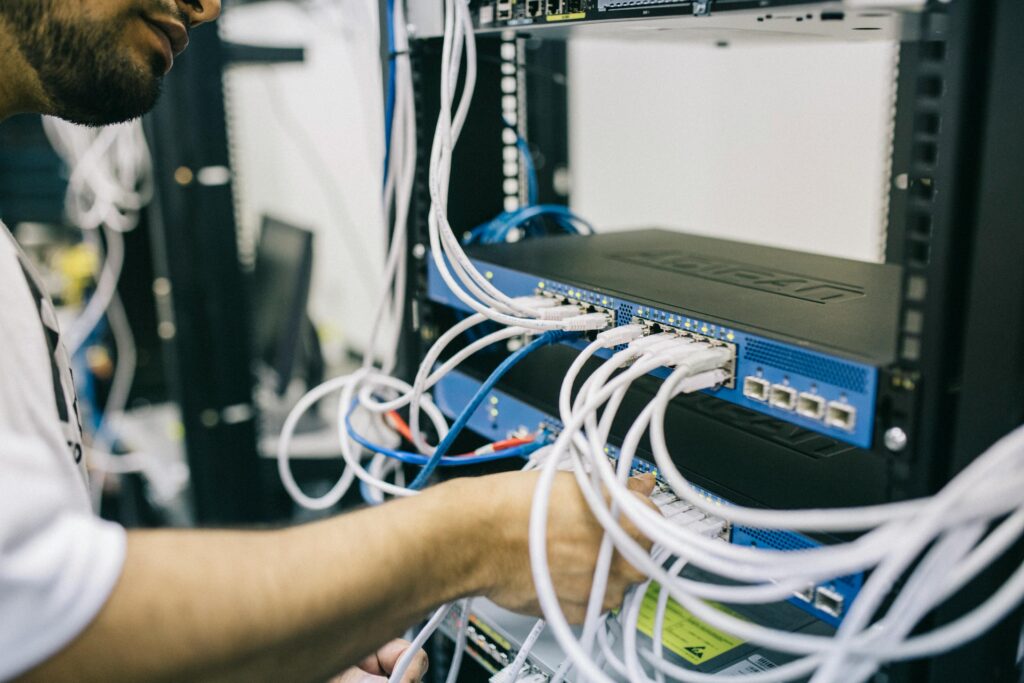
What Noc Services Typically Include
Most Noc Services include monitoring for servers and network devices, alert triage to reduce false alarms, performance checks, patch-status visibility, backup monitoring and verification, and clear escalation rules. The best NOC programs also track trends over time, document recurring issues, and provide simple reporting so your team isn’t guessing what changed or why.
Noc Services Vs. Help Desk: The Simple Difference
A help desk supports people. Password resets, device problems, software questions, and everyday “something isn’t working” tickets.
A NOC supports the backbone. Uptime, network stability, server performance, backups, internet circuits, and the stuff that keeps everything running.
If your pain is repeated outages, slowdowns, or after-hours emergencies, that’s usually a NOC gap—not a help desk gap.
What Problems Noc Services Prevent
Here’s what Noc Services catch early, before it becomes a business problem:
backup jobs failing quietly
storage filling up until servers crash
unstable internet or WAN links causing slow apps and dropped calls
server resource spikes that hint at deeper issues
network devices drifting from expected settings
patching falling behind because nobody has time to confirm status
alerts piling up until the real one gets missed
A NOC isn’t just about reacting faster. It’s about keeping your environment calm and predictable.
Who Needs Noc Services In Los Angeles
Noc Services are a strong fit if any of this sounds familiar:
your business runs outside 9–5
you have remote staff working odd hours
your internal IT team is small and stretched thin
you rely on cloud tools but still have key servers, firewalls, or network gear on-prem
you’ve dealt with “mystery outages” nobody can fully explain
leadership wants stronger uptime reporting and fewer surprises
This is especially common in organizations that depend on lean staffing and rotating access needs, such as teams that rely on IT support for nonprofits.

How Noc Services Work With Security
A NOC is not the same as a SOC (Security Operations Center). The NOC is about uptime and operational health. The SOC is about detecting threats and responding to attacks.
When threats and suspicious activity also need 24/7 validation and containment, MDR Security fills the security side of the gap that a NOC is not designed to cover.
The two should work together. When operations stay clean—patching is consistent, backups are verified, and devices are tracked—security becomes easier. When operations drift, risk grows.
What To Look For In A Noc Provider
Don’t pick a NOC based on a pretty dashboard. Pick it based on how they operate when something breaks. Look for:
clear escalation rules (who gets contacted, when, and how)
proof they tune alerts instead of spamming you
backup verification—not just “it ran,” but “it can restore”
a habit of fixing root causes, not just closing alerts
simple reporting your leadership can understand
clean integration with your tools (ticketing, monitoring, RMM)
If they can’t explain their process in plain language, that usually shows up at the worst time.
How To Roll Out Noc Services Without Disrupting Your Team
Start with what hurts most when it fails: firewalls, core switches, internet circuits, servers, and backups. Define priorities and what counts as “wake someone up.” Then run a simple test—like forcing a backup failure or restarting a service—to confirm escalation and response work the way you expect.
A good NOC rollout should feel like relief, not more overhead.
-
What Is The Difference Between Noc Services And Managed IT Services?
Noc Services focus on 24/7 monitoring and operational stability—networks, servers, backups, and uptime. Managed IT services are broader and usually include help desk support, device management, planning, and day-to-day IT ownership.
-
Do Noc Services Include After-Hours Support?
Yes—strong NOC coverage is built for nights, weekends, and holidays. The key is defining escalation rules up front so the right person is notified and urgent issues get handled quickly.
-
What Should A Business Expect From Noc Reporting?
You should expect clear summaries of incidents, recurring issues, uptime trends, backup status, and recommended fixes. If reports don’t tell you what changed and what to do next, they’re not doing their job.
Why Noc Services Bring Calm Back To IT
Noc Services keep Los Angeles businesses stable by delivering 24/7 monitoring, faster response, and fewer unpleasant surprises. If you’re tired of after-hours emergencies or recurring outages that seem to come out of nowhere, a NOC is one of the cleanest ways to restore control without hiring an overnight operations team.