

 Blog details
Remote work is normal now. People log in from home, from a client site, from a hotel, sometimes from a phone because their laptop is dead and they’re trying to save a meeting. That convenience is great for productivity, but it also means secure remote access has quietly become one of the most important controls in your environment.
Because here’s the part a lot of businesses learn the hard way: remote access is usually the first thing attackers test. Not because your company is “special,” but because remote entry points are everywhere—Microsoft 365 sign-ins, VPN, remote desktop tools, vendor portals, cloud apps, and all the little one-off systems that got added over time. If any of those paths have weak authentication or inconsistent rules, you’ve basically built a side door and left it cracked open.
Most companies don’t get in trouble because they refused to invest. They get in trouble because remote access grows, exceptions get made, and nobody circles back to clean things up. A vendor account stays active. Someone gets an MFA bypass “temporarily.” A personal device connects “just this once.” Then time passes. The shortcut becomes normal.
Even with secure remote access, you still want a recovery plan that can’t be quietly altered by a compromised account—especially when ransomware hits—so it’s worth prioritizing immutable backups as part of your safety net.
This post is about making secure remote access real—not perfect on paper, but solid in real life.
What Secure Remote Access Actually Means (It’s Not Just a VPN)
A lot of people hear “secure remote access” and think, “We have a VPN, so we’re covered.”
A VPN can be part of the solution, but it’s not the definition. Secure remote access is the combination of identity checks, device checks, permissions, and visibility that decide whether a connection should be trusted in the first place.
A simple way to think about it: remote access isn’t a single action. It’s a chain of trust.
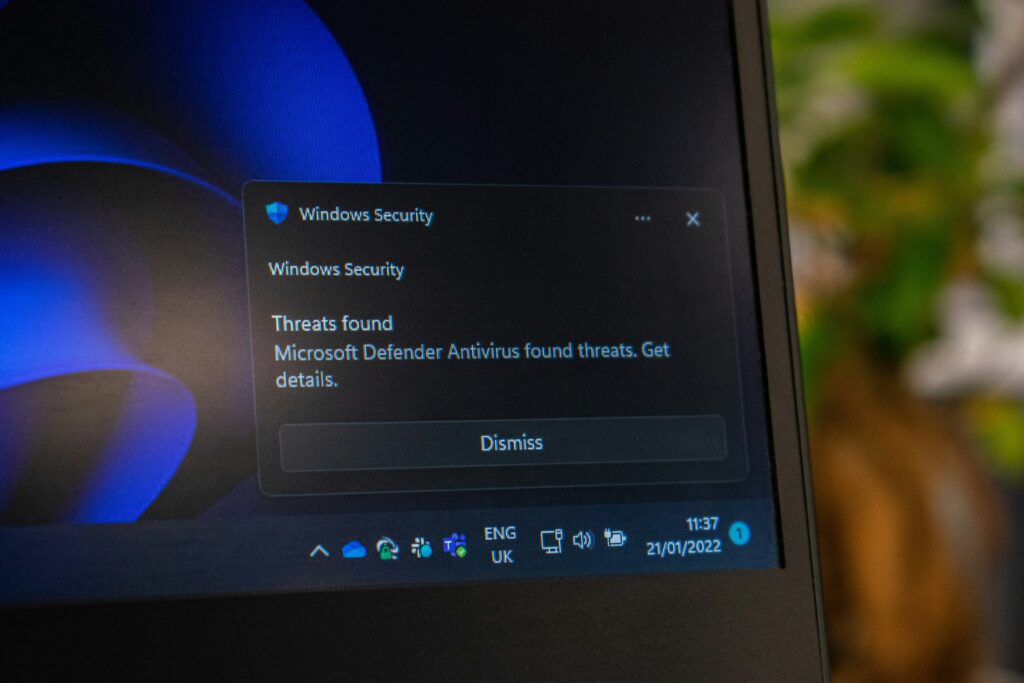
Attackers usually start with the easiest test: they take a stolen password and try it from the outside. Without MFA, that single credential can be enough to get a foot in the door. When device checks aren’t in place, they can log in from anywhere—using any machine. Broad permissions make the damage spread fast, because one compromised account can reach far more than it should. And when logging is thin, they can hang around quietly while everyone assumes nothing happened.
Secure remote access breaks that chain. It forces attackers to fail at multiple steps, not just one. For a more detailed, standards-based reference, NIST’s Guide to Enterprise Telework, Remote Access, and BYOD Security is worth bookmarking because it lays out practical security considerations for real-world remote access setups.
The Real Reason Remote Access Becomes Risky Over Time
The problem isn’t remote work itself. It’s how remote access evolves in a busy company.
Remote access usually starts with decent intentions: a basic VPN, a remote desktop setup for a few staff, or Microsoft 365 with MFA. Then business happens. A contractor needs access for a project. Someone on the executive team gets tired of MFA prompts. A department signs up for a new SaaS tool without looping IT in. A manager wants someone to “just log in real quick” from their personal laptop.
None of these decisions look dangerous in the moment. They look practical. The risk shows up later, when you realize you now have ten different ways into the business, and each one follows a different set of rules.
That’s why the strongest remote access setups don’t rely on “everyone behaving perfectly.” They rely on consistent policy: if you’re connecting remotely, the same security expectations apply every time.
Where Secure Remote Access Usually Breaks Down
Most failures follow a familiar pattern:
MFA exists, but it’s not enforced everywhere—especially on admin accounts or older sign-in methods.
Vendor access gets granted quickly and removed slowly (or never).
Devices connect without any real validation (no patch requirements, no encryption checks, no endpoint protection standards).
Once a user connects, they can see more than they should (flat networks and broad access make lateral movement easy).
Nobody reviews remote access logs unless something already feels wrong.
If you’re reading that and thinking, “Yeah… we probably have at least two of those,” you’re not alone. Secure remote access is one of the most common “we meant to fix that” items we run into.
The 5 Things That Make Secure Remote Access… Secure
Strong sign-in rules everywhere (MFA on all remote entry points, no long-term “exceptions,” and old sign-in methods shut down where possible)
Device trust (only protected, updated, encrypted devices can connect—otherwise access is blocked or limited)
Limited access by default (users reach only what they need, and remote access doesn’t automatically equal full network access)
Vendor controls (time-limited access, scoped permissions, and clean offboarding so old accounts don’t linger)
Visibility (logs that show who connected, from where, and what they accessed—so you’re not guessing during an incident)
This is also where your patch management content fits naturally as an internal link, because device health is a major piece of secure remote access. If a laptop is behind on updates, it’s not just “a patching issue.” It’s a remote access risk.
A Practical Rollout That Won’t Cause a Monday Morning Meltdown
A lot of security projects fail because the rollout is too aggressive. You tighten controls all at once, people can’t log in, and leadership decides security is “getting in the way of work.”
A better approach is to improve remote access in steps, starting with the changes that reduce the most risk without impacting normal workflows too heavily.
Start by enforcing MFA consistently and removing weak sign-in options. Then move into device requirements—basic items like encryption, endpoint protection, and patch levels. After that, narrow access down so remote users only reach what they actually need. And finally, fine-tune with smarter policy controls, like blocking risky sign-ins automatically or requiring extra verification when something looks unusual.
That sequencing matters. It turns secure remote access into a steady improvement instead of a disruptive “big bang” that gets rolled back.
-
Is a VPN enough for secure remote access?
Sometimes, but only if it’s paired with MFA, device checks, limited permissions, and strong logging. A VPN alone is not a security strategy.
-
What’s the fastest upgrade most businesses can make?
Enforce MFA on every remote login path and remove weak or legacy sign-in methods. That closes a lot of easy doors quickly.
-
How should vendor remote access be handled?
Give vendors access that expires automatically, limit them to only what they need, and make sure you can see what they did during each session.
What Businesses Often Miss: Secure Remote Access Is Also a Culture Thing
This part isn’t talked about enough. Even with the right tools, remote access gets messy when the company culture treats access like a favor.
“Can you just give them admin rights?”
“Can we skip MFA for this one account?”
“Can they use their personal laptop for now?”
“Can you leave that vendor login active in case we need them again?”
Those are normal requests. But they need a normal answer that doesn’t involve weakening your security every time someone asks. The healthiest organizations treat remote access as a standard process: clear rules, predictable approvals, defined time limits, and consistent enforcement. No drama, no improvising.
One way to cut down on constant access exceptions and alert fatigue is to use smarter monitoring and automation, which is why AIOps tools can help teams spot risky patterns and respond faster without living in the ticket queue.
That’s how secure remote access stays secure six months from now, not just today.